October 23, 2026
Claude's Most Helpful Feature: Projects, Explained (2026)
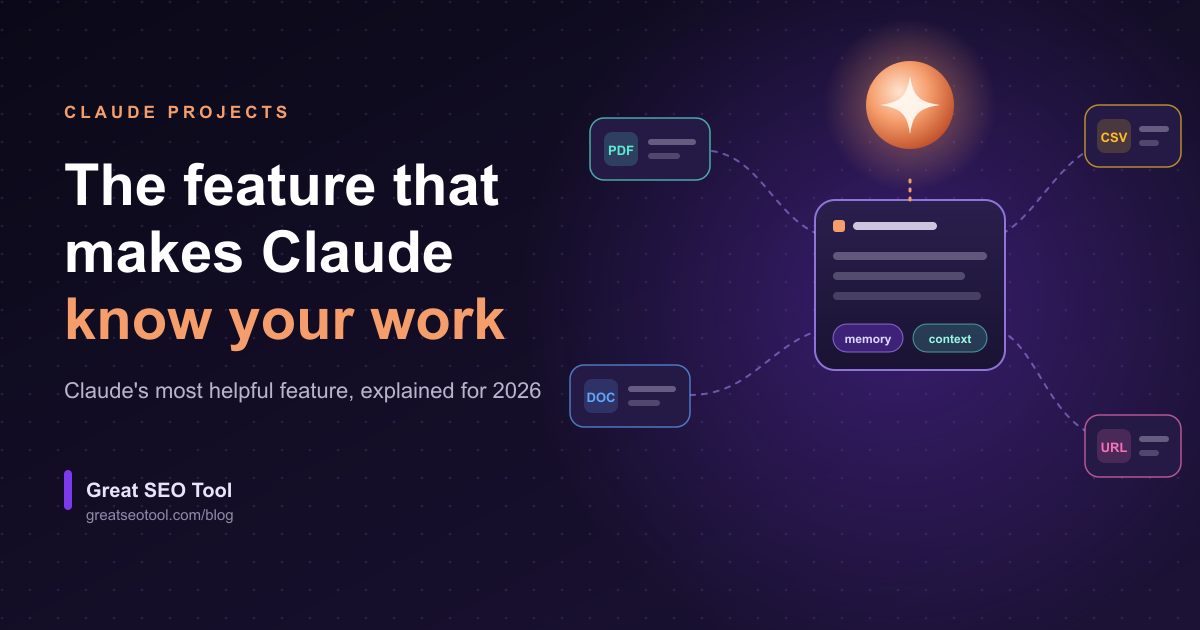
Quick answer: Claude's most helpful feature is Projects. A project is a dedicated workspace where you store your files, background context and standing instructions once, and Claude uses them in every chat inside it. You stop re-explaining yourself, and the answers become specific to your work.
Last updated: October 2026
Claude, the AI assistant built by Anthropic, has a long list of features: Artifacts, Research, Memory, connectors, Skills and Claude Code. All of them are useful. But one feature quietly changes how everything else works, and that feature is Projects.
In this guide you'll learn what Claude Projects does, why we rank it above every other Claude feature, how to set one up in five steps, and six ways SEO teams use it every week. Ranking features is always partly opinion, so we explain our reasoning and show where the other features win.
What is Claude Projects?
Claude Projects is a feature that lets you create a self-contained workspace inside Claude. Each project has three parts:
- A knowledge base. Files and text you add, such as briefs, style guides, reports and data exports. Claude can draw on them in every chat in that project.
- Custom instructions. Standing guidance for that project, such as tone, audience or output format.
- Its own chats and memory. Conversations stay grouped together. According to Anthropic's Help Center, Claude uses the project's memory alongside your memory from chats outside projects, but not memory from other projects.
On Team and Enterprise plans, a project can also be shared with teammates with view or edit permissions.
Why is Projects Claude's most helpful feature?
Projects fixes the biggest problem with AI assistants: starting from zero every time.
Without a project, every new chat begins with you pasting the same background again. With a project, Claude already has it. That changes four things:
- Answers get specific. Claude answers from your documents and your rules instead of generic advice.
- Output stays consistent. The same instructions apply to every chat, so tone and format don't drift between people or weeks.
- It handles a lot of material. Anthropic's Help Center says that on paid plans, Claude switches to retrieval-augmented generation (RAG) when project content nears the context limit, which expands project capacity up to about 10 times.
- Teams share one source of truth. Everyone works from the same knowledge and the same instructions.
Most other Claude features make a single task better. Projects makes every task better, because it improves the context all of them start from.
How does Projects compare with other Claude features?
Each feature has a job. Here is how they fit together:
| Feature | Best for | Why it ranks below Projects |
|---|---|---|
| Artifacts | Building documents, small apps and visuals you can preview and edit | A great output tool, but it doesn't give Claude lasting knowledge of your work |
| Memory | Remembering your preferences across chats | Light and automatic, while Projects is deliberate, file-backed and under your control |
| Research | Multi-step investigations with citations | Excellent for new questions, while Projects answers questions about your own material |
| Connectors | Linking Claude to tools such as Google Drive or Slack | They move data in, and Projects is where that data becomes reusable context |
| Skills | Repeatable procedures Claude follows the same way each time | Skills teach Claude how to do a task, while Projects teach it what your work is |
| Claude Code | Coding in a terminal or editor | Built for developers, while Projects helps almost everyone |
The best setups combine them. A project holds your context, a connector keeps it fed with fresh data, and an Artifact turns the result into something you can use.
How do you set up a Claude Project in 5 steps?
- Create the project. Open Claude, go to Projects and create a new one. Name it after a real job, such as "Blog content for Q4" or "Client audit: Acme".
- Write the instructions. Describe your audience, voice, rules and preferred output format. Keep it short and specific.
- Add your knowledge. Upload the files that define the job: a brand guide, a keyword list, your best pages and your latest audit export.
- Test it. Ask something only your material can answer, such as "Which of our pages already target this keyword?" Fix the instructions wherever the answer is weak.
- Keep it fresh. Swap in updated files after each audit or campaign. On a Team plan, share the project so everyone uses the same version.
Here is a sample instruction block you can adapt:
You are our SEO editor. Audience: small-business owners with no technical background.
Voice: plain English, short sentences, define any jargon the first time you use it.
Always: say which uploaded document an answer came from, and flag anything you're unsure about.
Never: invent statistics, rankings or search volumes.
What are six ways SEO teams use Claude Projects?
- Audit translator. Upload a PDF or spreadsheet export from a site crawler, then ask "What should we fix first, and why?" Pair it with our beginner's guide to technical SEO checklists so Claude explains each issue in plain language.
- Content brief factory. Keep your brand voice and keyword map in the project, then generate briefs that all follow the same structure.
- Metadata at scale. Put your title and description rules in the instructions, upload a list of pages, and get rewrites that respect your length limits. Run a pre-launch pass with the technical SEO checklist for publishing.
- Internal-linking helper. Upload your page list or sitemap export and ask for link suggestions. This is a quick way to rescue orphan pages that nothing links to.
- Client reporting. Draft monthly reports in one consistent format, with the same sections every time.
- Crawl-error triage. Paste your 404s and redirect lists and ask for a prioritised fix plan. Our guide on fixing crawl errors before they hurt rankings shows what good looks like.
What are the limits of Claude Projects?
Projects is powerful, but it has real limits worth knowing:
- It only knows what you add. A project is not a crawler. It won't notice a broken link on your site unless you give it that data. Run a crawl first and upload the results.
- Plans differ. Anthropic's Help Center says free accounts can create up to five projects, and paid plans add capacity and features. Limits change, so check the current Help Center before you plan around them.
- Stale files give stale answers. Replace documents when they change, or Claude will keep using the old version.
- Privacy matters. Don't upload sensitive client data unless your plan's data terms cover it. Review Anthropic's privacy documentation first.
- Verify important facts. Claude can make mistakes, so check anything that affects rankings, money or legal commitments.
Frequently asked questions
What is the most helpful feature in Claude?
In our view it is Projects. It gives Claude a lasting knowledge base, standing instructions and its own memory, so every chat starts with your context instead of from zero. Other features, such as Artifacts and Research, are excellent for single tasks, but Projects improves all of them.
Is Claude Projects free?
Anthropic's Help Center says Projects is available to all users, including free accounts, with a limit of five projects on the free plan. Paid plans add more capacity and features. Plan details change, so confirm the current limits in the Help Center.
What is the difference between Claude Projects and Claude's memory?
Memory automatically remembers details about you across chats, such as preferences and writing style. Projects is a deliberate workspace you build with files and instructions for one specific job. Each project also has its own memory, and Claude doesn't mix memory between projects.
Can I share a Claude Project with my team?
Yes, on Team and Enterprise plans. Members can be given view or edit permissions, and edit access lets them change the instructions and knowledge. Sharing keeps everyone working from the same context.
Can Claude Projects read my website?
Not by itself. A project works with the files and text you add, so it can't see changes on your site that you haven't given it. To get accurate site data, run a technical audit with a crawler such as Great SEO Tool and upload the exported report.
Is it safe to upload client files to a Claude Project?
That depends on your plan and your client agreements. Read Anthropic's privacy and data-use terms for your plan, avoid uploading sensitive personal or confidential data unless it's covered, and get your client's permission when contracts require it.
The bottom line
Claude's most helpful feature is the one that stops you from repeating yourself. Projects turns Claude from a smart stranger into an assistant that already knows your brand, your goals and your data. Start with one project for the job you do most often, write ten lines of instructions, add three good files, and compare the answers with a normal chat.
The better your input data, the better your results. If you want Claude to help with your SEO, give it a clean picture of your site first: run a free technical SEO audit and upload the report to your project.
Great SEO Tool isn't affiliated with Anthropic. Claude is a product of Anthropic.
Sources
- What are projects?, Claude Help Center
- Collaborate with Claude on Projects, Anthropic
- Retrieval augmented generation (RAG) for projects, Claude Help Center
- Understanding Claude's personalization features, Claude Help Center
More from the blog
The Beginner's Guide to Technical SEO Checklists That Actually Work
What Is Cumulative Layout Shift and Why Users (and Google) Hate It
What Is Sitemap Priority and Does It Actually Matter?
How to Recover From a Google Algorithm Update
How Search Engines Actually Crawl and Index a Website
How to Find and Fix Broken Links on Your Website